The back office.
Run the rooms, the money and the people.
38 pages
A complete back office.
One page for every job.
01
Dashboard
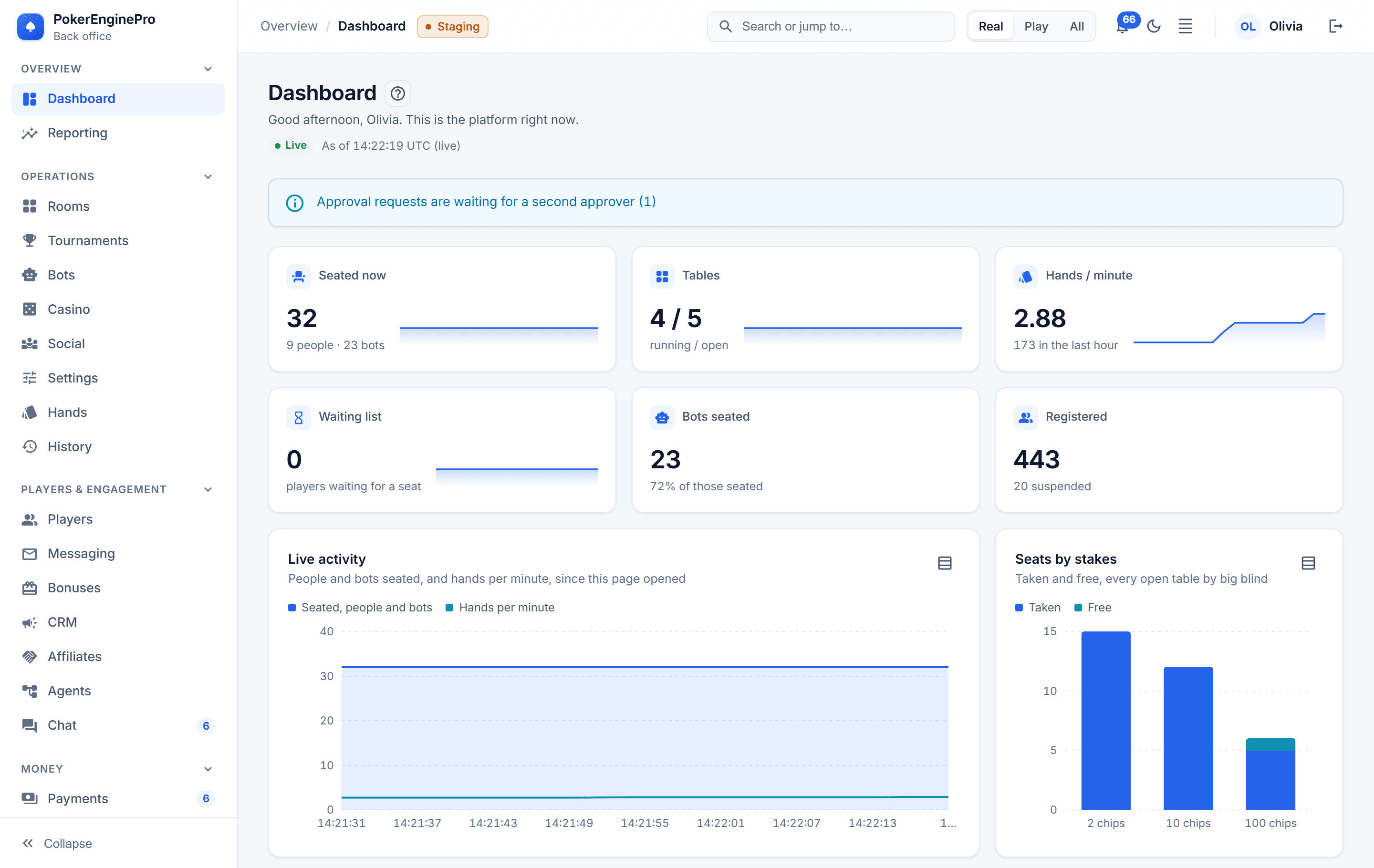
Tiles that update as play happens, streamed from the cluster.- /admin/dashboard
02
Rooms
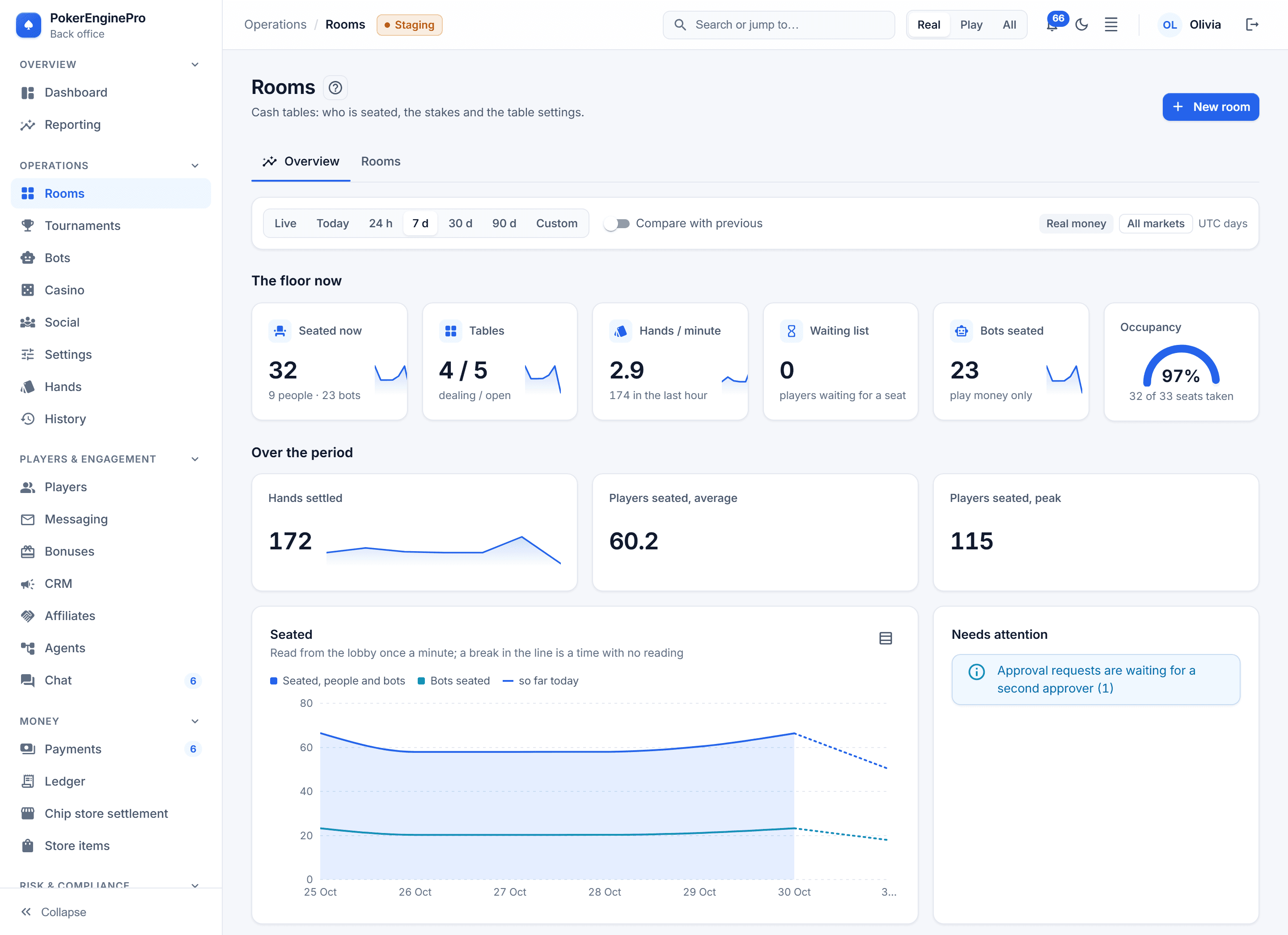
Open, pause, resume and close tables, and change stakes, rake and timers — applied at the next hand boundary.- /admin/rooms
03
Tournaments
Templates, schedules and Sit & Go lines; pause, resume, move a player, break a table, or cancel with every payment refunded.- /admin/tournaments
04
Players
Search, profiles with balances and seats, freeze, suspend and reinstate — and play-chip grants for one player or a thousand.- /admin/players
05
Ledger
The entry explorer, every reconciliation run, the archived months, and the dead-letter queue settled with reasons.- /admin/ledger
06
Hands
Find any hand and replay it event by event; hole cards only on settled hands, and only for Risk.- /admin/hands
07
History
Records older than the live window, read from the history database, and a player's whole record exported in one audited step.- /admin/history
08
Approvals
The queue of changes waiting for a second person; whoever raised a request cannot approve it, and an old one expires.- /admin/approvals
09
Audit
Every staff action and sensitive read, searchable by action, subject and person.- /admin/audit
10
Settings
Feature flags, maintenance with drain, games per market, the rake schedule with a live preview, and the play-chip grant ceiling.- /admin/settings
11
Social
The social casino's switches — store, bonuses, rewarded ads — and the chip-store packages, priced per market in its own currency and scheduled like any setting.- /admin/social
12
Staff
The role-to-permission matrix with each role's display name, and who has been doing what, read from the audit log.- /admin/staff
Those twelve are the daily work, and Social comes with the social casino module. The core adds twelve more: KYC, rule packs, vendors, messaging, integrity, chat, bots, BI, retention, business settings, the licence and support. The modules add thirteen: payments, AML, screening and reports, bonuses and CRM, affiliates and agents, the casino, brands and the Partner API.
The dashboard
A live dashboard.
Every few seconds.
- Players seated, tables open and running, waitlists, hands in the last hour, rake today and all time per currency, and every stakes level in play.
- Money waiting in the dead-letter queue, voided hands, requests awaiting a second approver, and maintenance mode — raised on the dashboard.
- Live numbers come from the lobby's read model and are pushed every three seconds over one server-sent-events connection, so an open dashboard costs the game tier nothing.
More of the back office
- backoffice / rooms
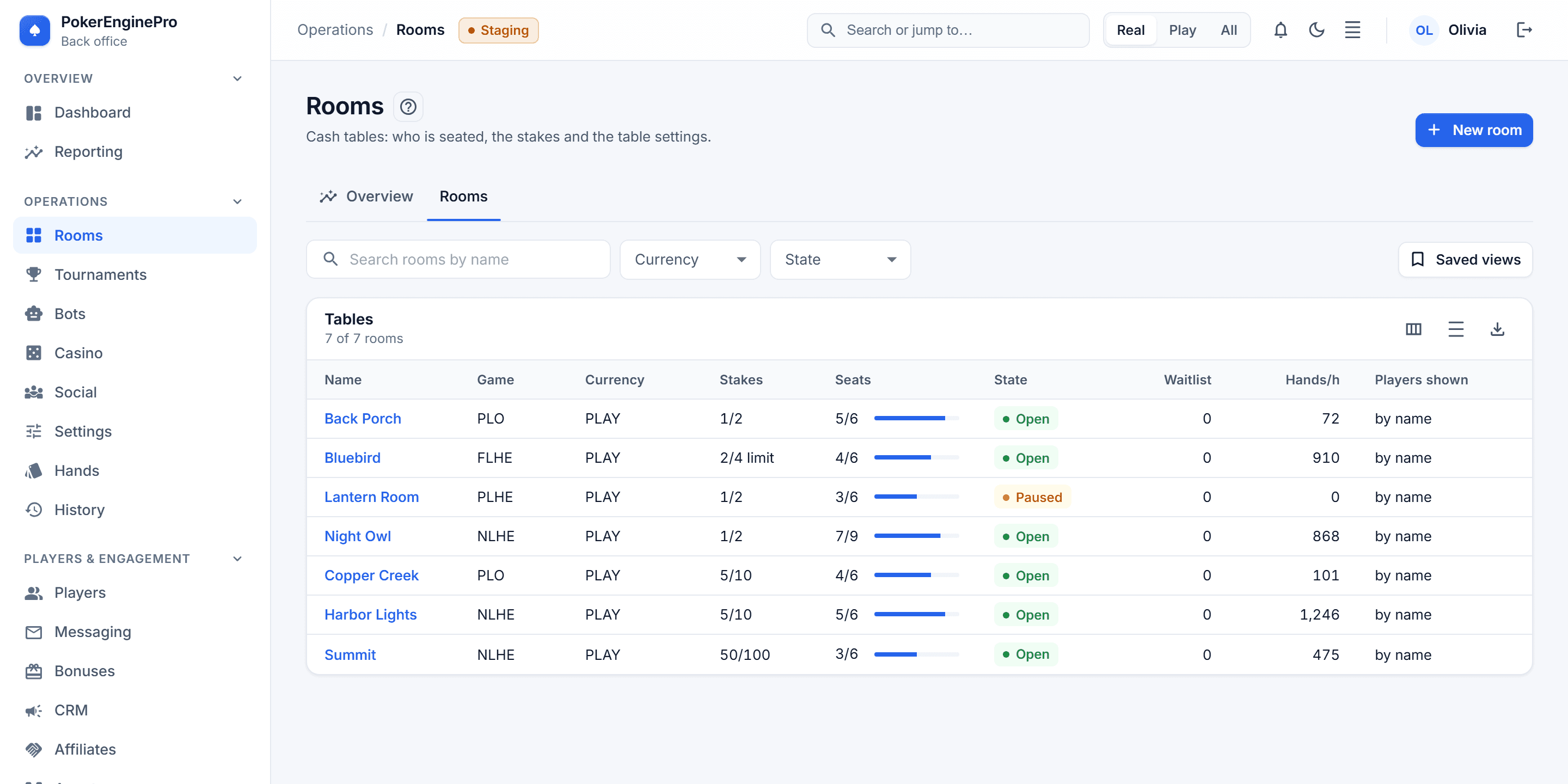
Rooms: every table with its game, currency, stakes, seats, state, waitlist and hands per hour. - backoffice / audit
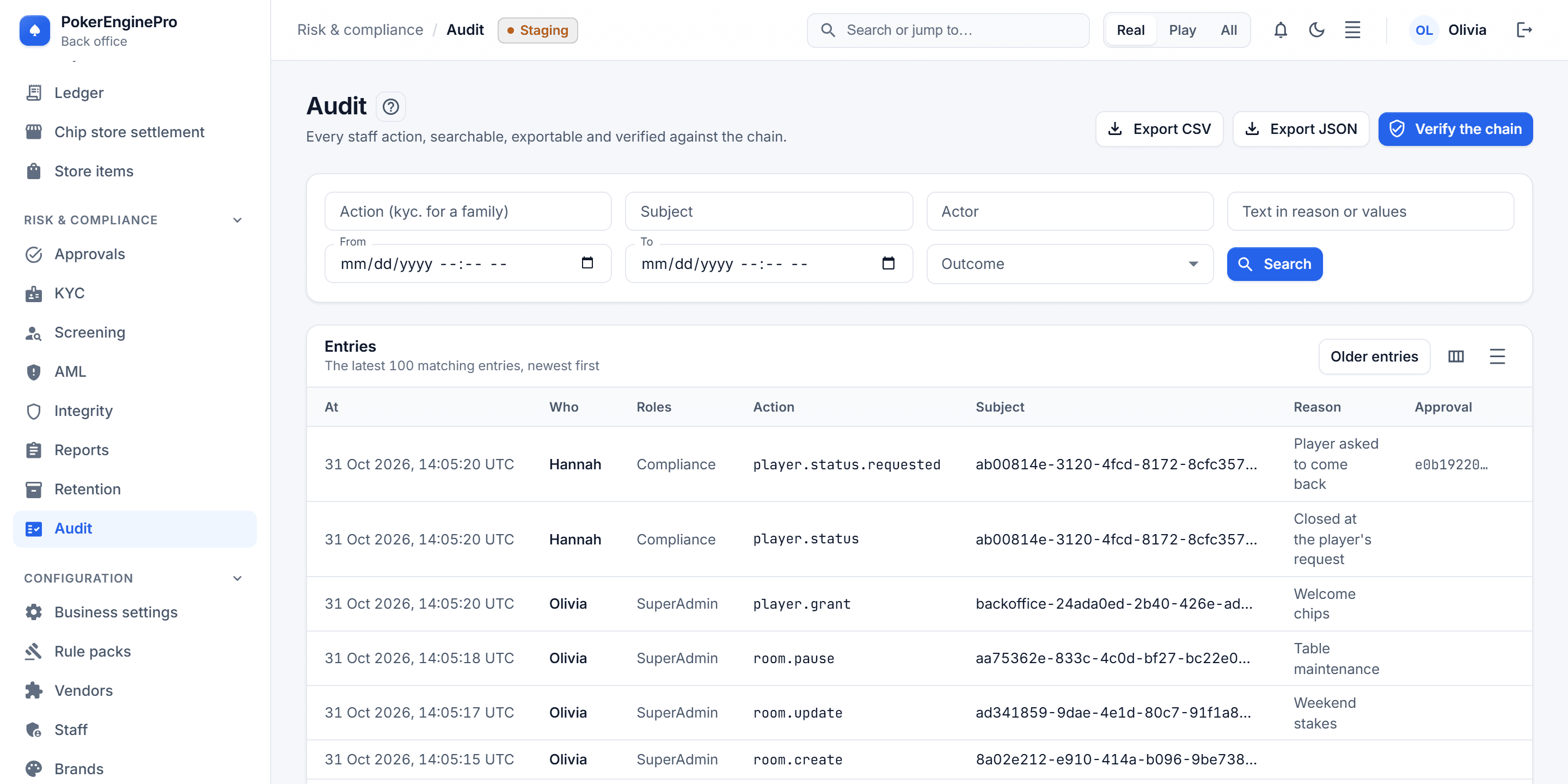
Audit: who did what, with which roles, why, whether it worked, and the values before and after. - backoffice / staff
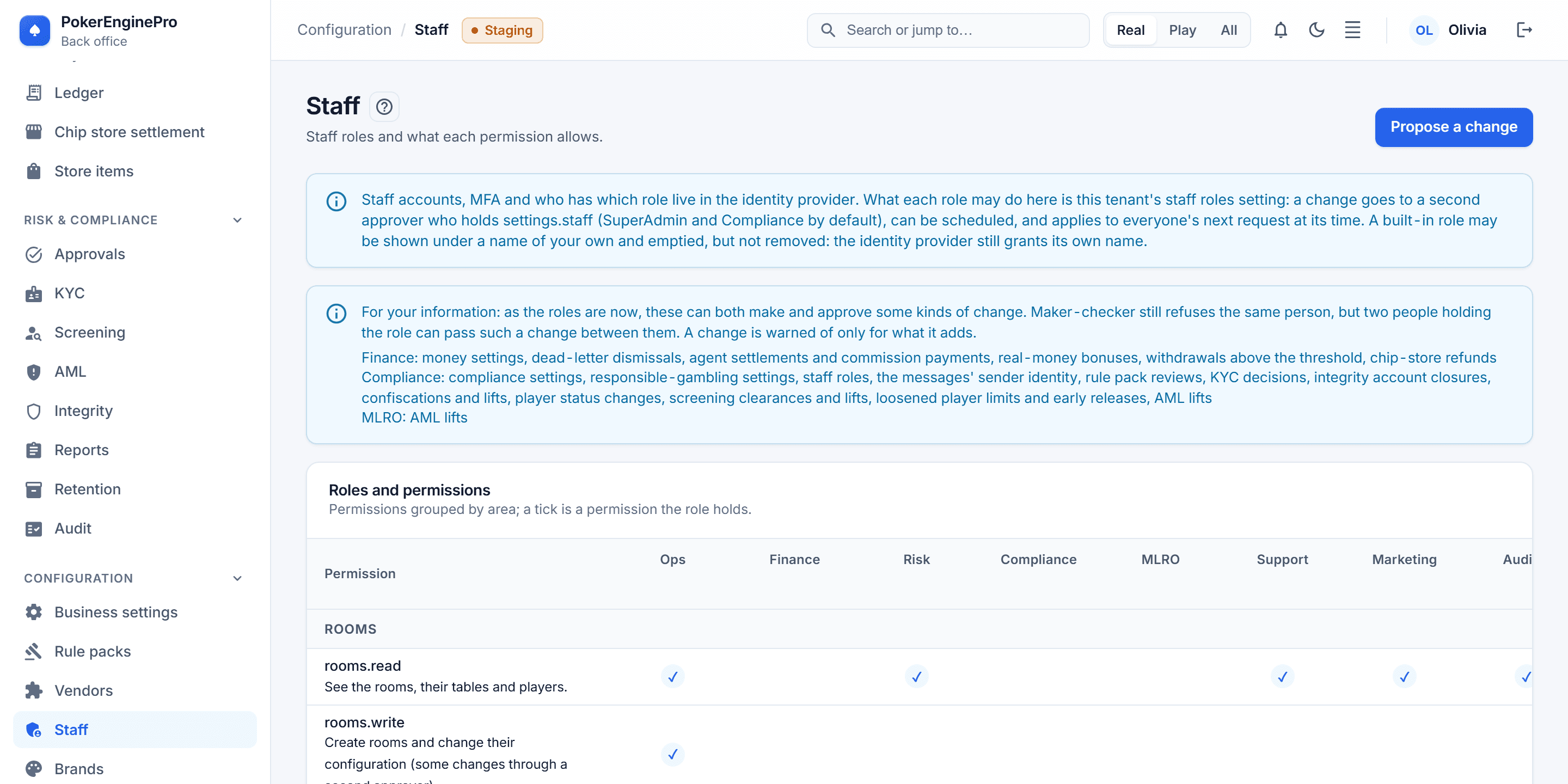
Staff: what each role may do, permission by permission. - backoffice / settings
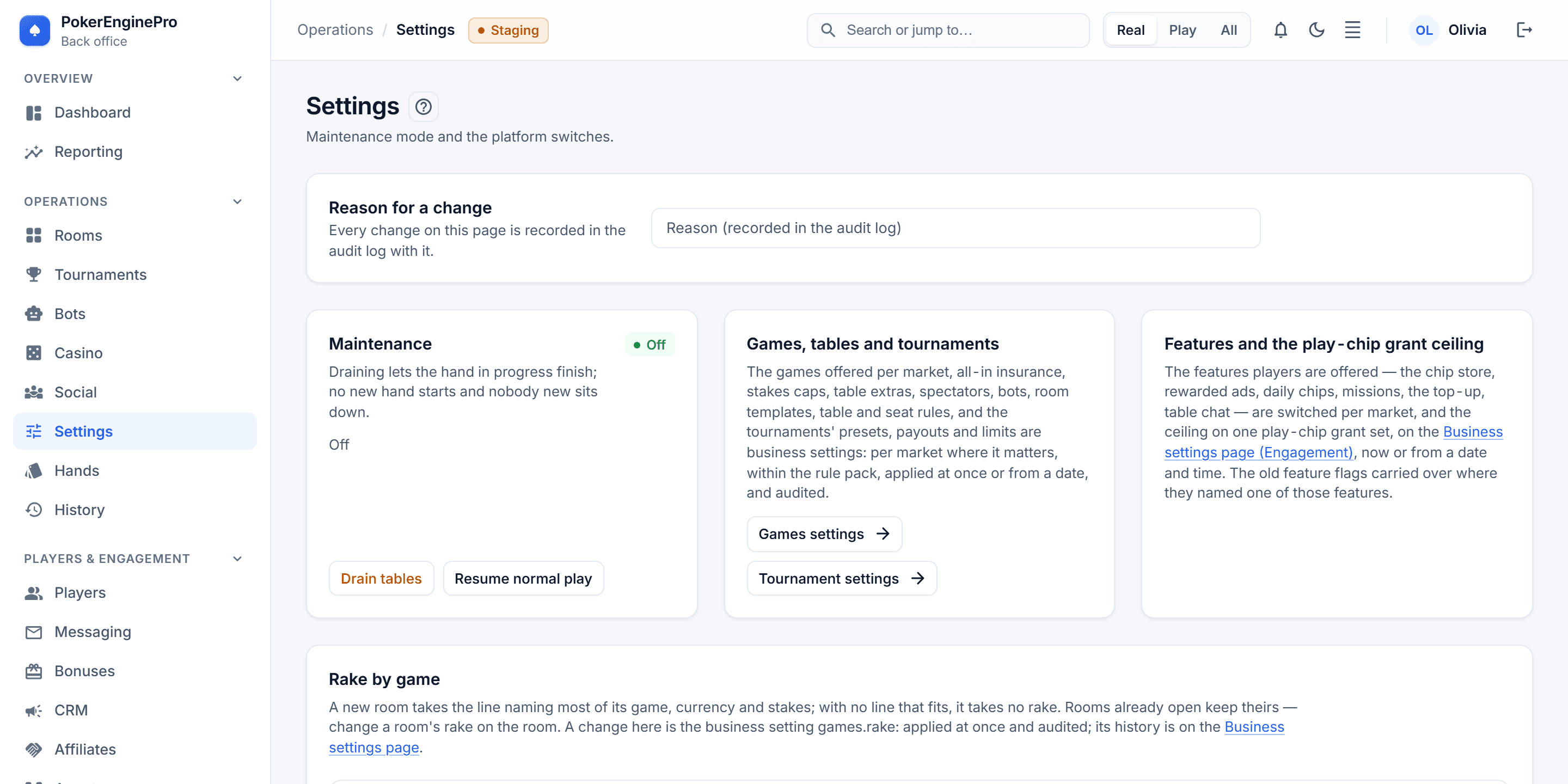
Settings: maintenance, the games and features, and the rake by game — each change with a reason for the audit log.
Overviews
An Overview tab for the big areas.
Numbers, then the rows behind them.
Lists and search
From the number to the player.
Without leaving the page.
- backoffice / players
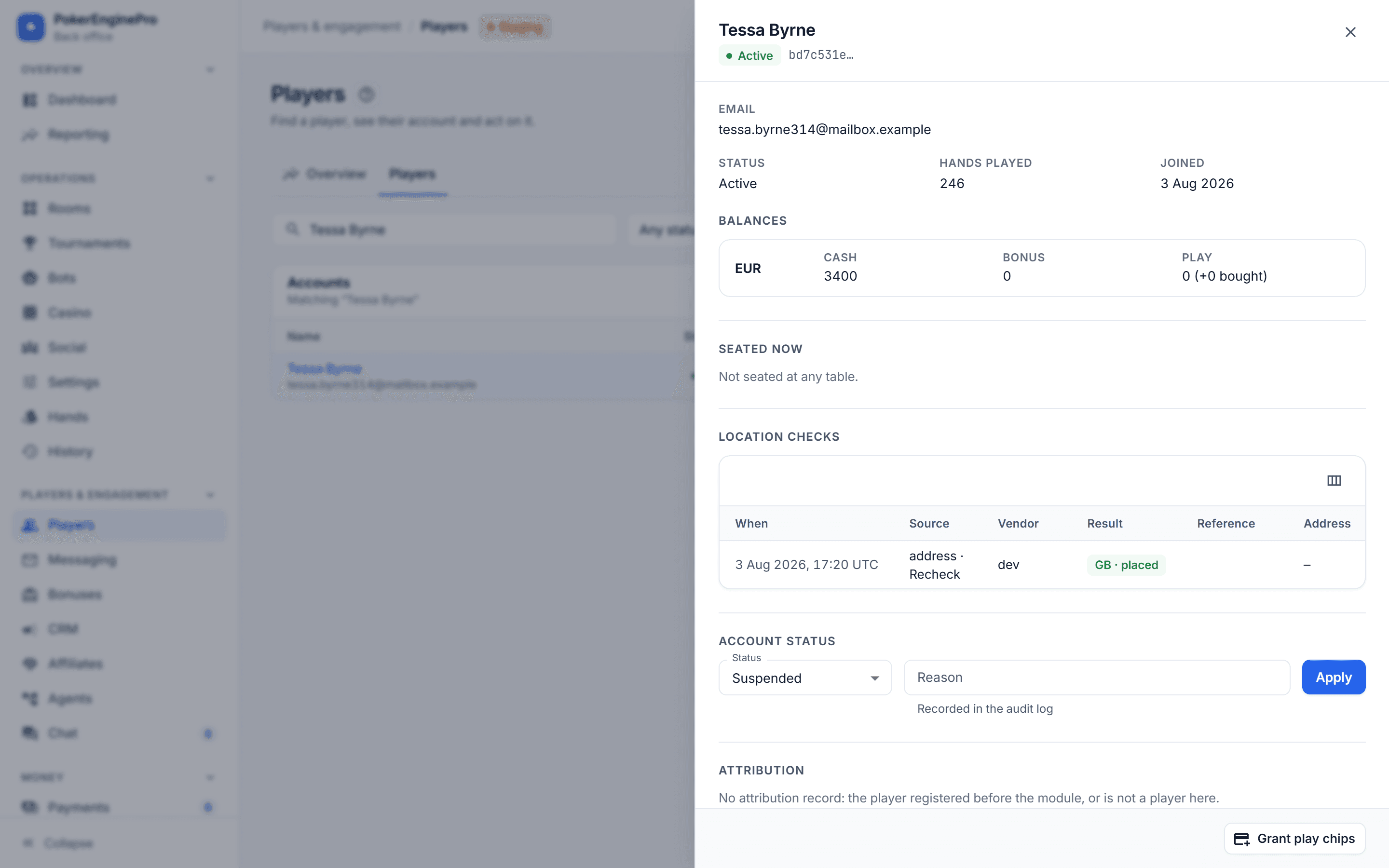
Players: a row opens in a drawer beside the list, with the account, balances, location checks and the status change. - backoffice / command palette
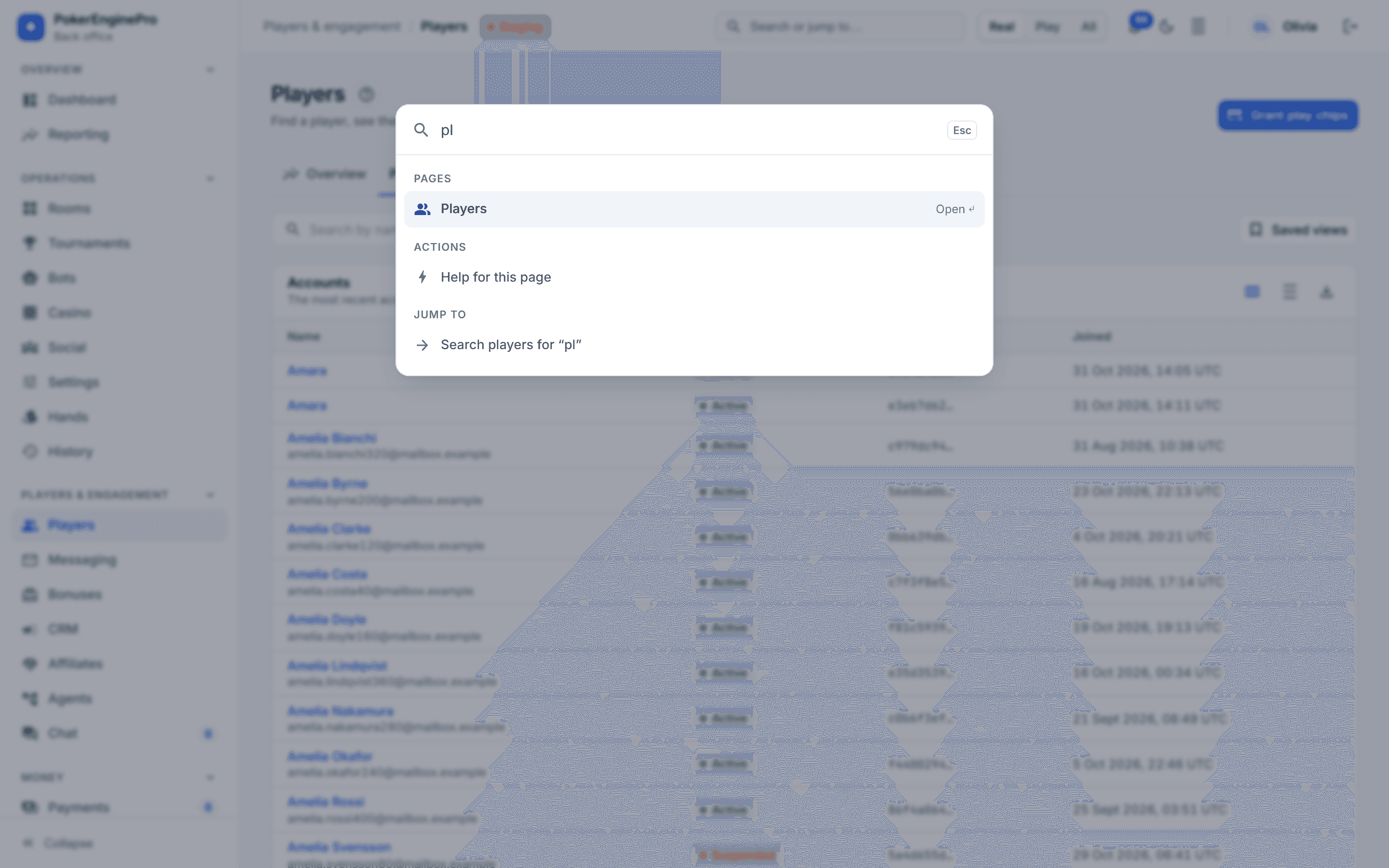
Ctrl K: jump to a page, or search players, from anywhere. - backoffice / players / help
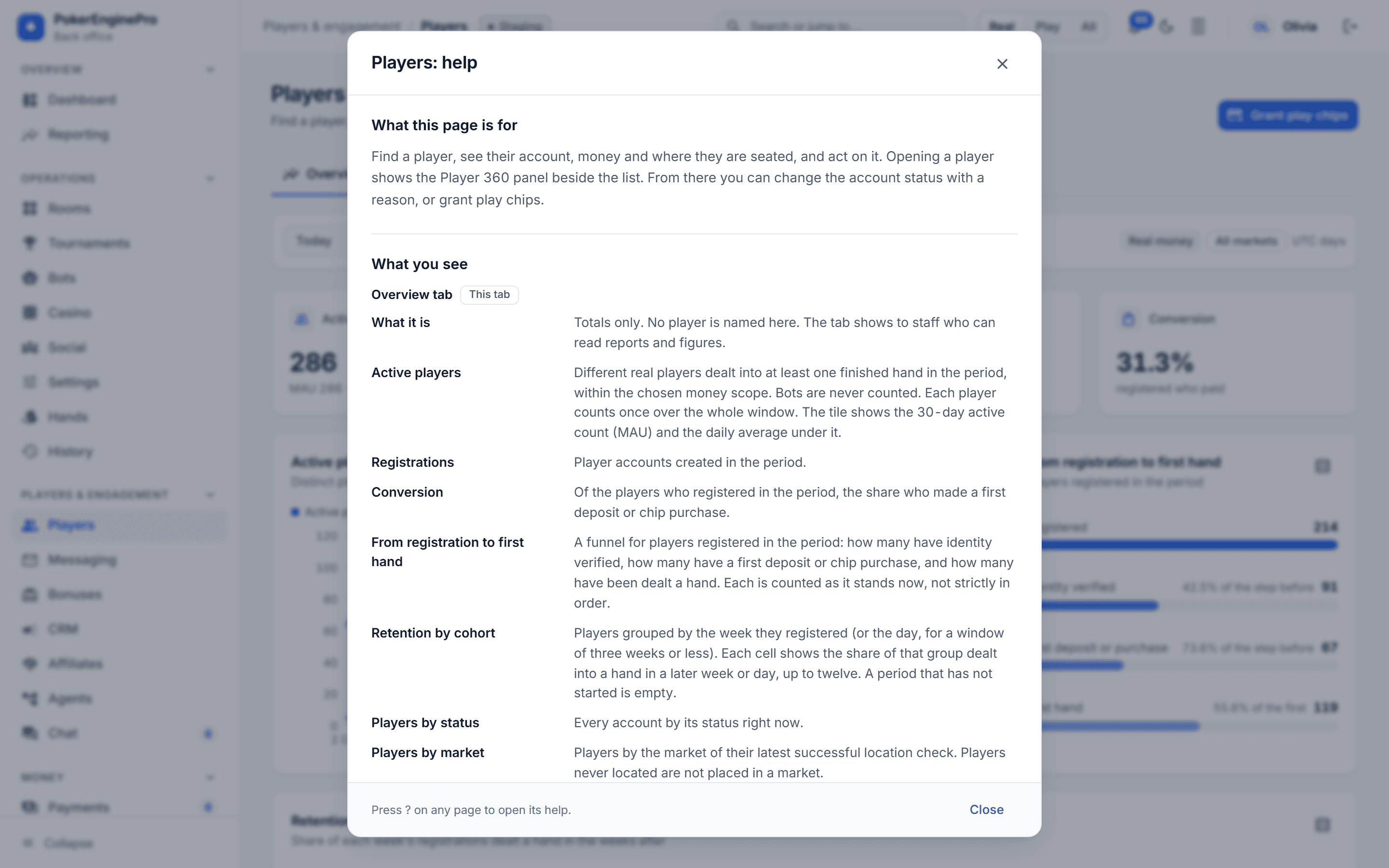
Help on every page: a ? beside the title explains, in plain language, what the page is for and what each figure means.
Roles and permissions
What each job needs.
And nothing more.
Permissions, not roles
Endpoints require one of 86 permissions (49 in the core, the rest added by the modules installed), never a role, so roles can be regrouped without touching code — and the UI hides what a caller cannot do.
A least-privilege load-test role
The load generator signs in as LoadTest: rooms and play-chip grants, and nothing else — no ledger, no hole cards, no approvals.
| Role | Run rooms | Ledger | Adjust | Grant chips | Approve | Audit log | Hole cards |
|---|---|---|---|---|---|---|---|
| Ops | |||||||
| Finance | |||||||
| Risk | |||||||
| Compliance | |||||||
| Support | |||||||
| Marketing | |||||||
| Auditor | |||||||
| SuperAdmin |
The permissions that matter most to a buyer, by role — as the admin API grants them.
Integrity
Even SuperAdmin cannot see hole cards.
Integrity is not seniority.
- Only Risk can, only for settled hands, and every look is audited.
- A hole card never appears in a broadcast, a log line or a staff view of a live hand.
/// <summary>Reading the hole cards of a settled hand. Never live — there is no god view.</summary>
public const string HandsHoleCards = "hands.holecards";

// …

/// The matrix. Auditor is read-only by construction; SuperAdmin holds everything *except* hole cards,
/// because seeing another player's cards is an integrity decision, not a seniority one.
// …
[SuperAdmin] = AdminPermissions.All.Remove(AdminPermissions.HandsHoleCards),
Four-eyes approval
Two to approve.
Never the one who asked.
- 1
Maker
Raises the change — Ops lowering the stakes of a running real-money room, say.
- 2
Admin API
Stores it as a pending request and writes an audit row. Nothing changes yet.
- 3
Checker
Another person with approvals.decide approves it — never the one who raised it, never once it has expired.
- 4
Cluster
Applies the change — a room's from its next hand — and the decision is audited too.
The four actions that wait
room.update
Stakes, buy-ins or rake
Changing the stakes, buy-in limits or rake of a running real-money room. Approved, it applies from the next hand.
tournament.cancel
Cancelling a tournament
Cancelling a real-money tournament in play — every payment is refunded.
player.status
Reinstating an account
Bringing a closed account back.
deadletter.dismiss
Dismissing a dead letter
Deciding that a failed real-money command is not owed, with a reason.
Play chips need no second person — not even to raise the grant ceiling. Approval is kept for real money and for steps that cannot be undone, so it never becomes a rubber stamp.
The audit log
An audit log of everything.
Refusals included.
- Who: the staff member's id and name, and the roles they held at that moment.
- What: the action and its subject — a room, a player, a setting, a batch.
- Before and after: the values on both sides of the change, as JSON a person can read years later.
- Why: the reason given, and the approval request when a second person signed it off.
- From where: the address the request came from.
- Whether it worked: refusals are recorded too — “tried and was refused” is what an investigation needs.
- flag.set
- maintenance.set
- variants.set
- rake.set
- player.grant
- playgrant.ceiling.set
- player.history.export
/// <summary>One staff action, as it will be read back months later.</summary>
public sealed record AuditRecord(
    string Actor,
    string ActorName,
    IReadOnlyCollection<string> Roles,
    string Action,
    string Subject,
    object? Before = null,
    object? After = null,
    string? Reason = null,
    Guid? ApprovalId = null,
    string? IpAddress = null,
    bool Succeeded = true,
    string? Details = null);
Settings
Run the room from Settings.
Without a deploy.
Feature flags
- /admin/flags
Maintenance with drain
- maintenance.set
Games per market
- variants.set
The rake schedule, previewed
- POST /rake/preview
The play-chip grant ceiling
- playgrant.ceiling.set
Every change names a reason
- reason required
Play-chip grants
Grant play chips.
A thousand at a time.
Batch grants with per-player results, a ceiling staff can tune, and an audit row per batch.
- Play money only. A real-money currency is refused, so real money can never be granted this way.
- One result per player. Up to 1,000 players per batch, each answered Granted, AlreadyGranted, UnknownPlayer, AccountClosed or Failed — not all or nothing.
- Sent twice, credited once. Each grant is keyed by its batch and its player, so a batch sent again after a lost answer credits nobody twice.
- Balanced like any bonus. A grant is the same ledger credit as the daily bonus, so reconciliation already balances it and a failure goes to the dead-letter queue.
public sealed record PlayGrant(Guid UserId, long Amount);

public sealed record PlayGrantRequest(
    string Currency,
    string Reason,
    string IdempotencyKey,
    IReadOnlyList<PlayGrant> Grants);

public enum PlayGrantOutcome
{
    Granted,
    AlreadyGranted,
    UnknownPlayer,
    AccountClosed,
    Failed,
}

// GET /admin/settings/play-grant-ceiling
public sealed record PlayGrantCeilingView(
    long Default,
    long? Override,
    long Effective);
The whole operation
Beyond the tables.
Players, payments, partners and proof.
01
KYC review and payments queues
02
CRM and campaigns
03
Affiliates and agents
04
Risk and fraud cases
05
BI dashboards and regulator reports
Tour the back office.
With your own team's roles.
A live walkthrough of the engine, the back office and a production-shaped cluster — with the numbers behind every claim on this site.